
组件总览
ant-design-x-vue-next 是 @ant-design/x 的 Vue 社区续作,提供面向 AI 对话场景的界面组件与数据流工具。
侧边栏分组已对齐官方文档:通用 / 唤醒 / 表达 / 确认 / 反馈 / 工具。
快捷入口
- 开始使用 · 更新日志 · 对齐进度
- 官方 React 文档:x.ant.design
卡片上的标签含义:
- 已实现:本仓库可用,含示例与 API
- 规划中:官方已有,Vue Next 占位中
通用
3Bubble 对话气泡已实现

Conversations 管理对话已实现
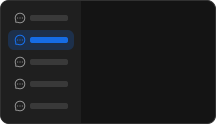
Notification 系统通知已实现
系统级 Web Notification 通知
唤醒
2Welcome 欢迎已实现
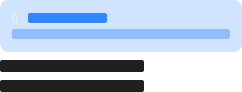
Prompts 提示集已实现
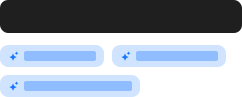
表达
6Sender 输入框已实现
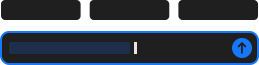
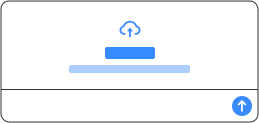
Attachments 输入附件已实现
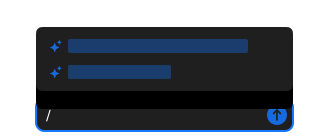
Suggestion 快捷指令已实现
Folder 文件夹已实现
目录树浏览与文件预览
CodeHighlighter 代码高亮已实现
语法高亮代码块,支持复制与自定义头部
Mermaid 图表渲染已实现
交互式 Mermaid 图表,支持缩放、下载与代码视图
确认
2Think 思考过程已实现
展示大模型深度思考过程
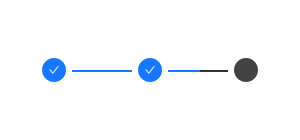
ThoughtChain 思维链已实现
反馈
3Actions 操作列表已实现
结果区快捷操作
Sources 引用来源已实现
引用资料列表与折叠展示
FileCard 文件卡片已实现
以卡片形式展示文件信息
工具
7XMarkdown Markdown 渲染已实现
流式缓存、LaTeX、动画与企业级消毒
XCard A2UI 动态卡片已实现
Agent 结构化命令驱动的动态界面(v0.9)
useXAgent已实现
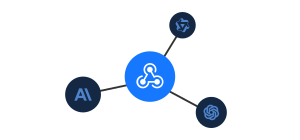
useXChat已实现

XStream已实现
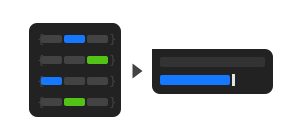
XRequest已实现
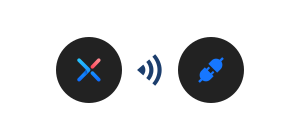
XProvider 全局化配置已实现

ts
<script setup lang="tsx">
import {
  Card,
  Space,
  Typography,
  Row,
  Col,
  Input,
  Tag,
  Affix,
  Button,
} from 'ant-design-vue';
import {
  MessageOutlined,
  CommentOutlined,
  StarOutlined,
  BulbOutlined,
  PaperClipOutlined,
  SendOutlined,
  ThunderboltOutlined,
  NodeIndexOutlined,
  ApiOutlined,
  SettingOutlined,
  GlobalOutlined,
  CloudOutlined,
  RobotOutlined,
  SearchOutlined,
  LinkOutlined,
  FileOutlined,
  FolderOutlined,
  NotificationOutlined,
  CodeOutlined,
  PartitionOutlined,
  ExperimentOutlined,
} from '@ant-design/icons-vue';
import { ref, computed } from 'vue';
import { useData } from 'vitepress';

defineOptions({ name: 'AXOverviewDemo' });

const { isDark } = useData();
const searchValue = ref('');

type ComponentStatus = 'ready' | 'planned';

type OverviewItem = {
  id: string;
  category: string;
  title: string;
  description: string;
  icon: any;
  status: ComponentStatus;
};

const allComponents: OverviewItem[] = [
  {
    id: 'bubble',
    category: '通用',
    title: 'Bubble 对话气泡',
    description: '用于展示对话消息的气泡组件,支持多种样式和自定义内容',
    icon: <CommentOutlined style={{ color: '#52c41a' }} />,
    status: 'ready',
  },
  {
    id: 'conversations',
    category: '通用',
    title: 'Conversations 管理对话',
    description: '管理多个对话会话,支持分组、排序和菜单操作',
    icon: <MessageOutlined style={{ color: '#722ed1' }} />,
    status: 'ready',
  },
  {
    id: 'notification',
    category: '通用',
    title: 'Notification 系统通知',
    description: '系统级 Web Notification 通知',
    icon: <NotificationOutlined style={{ color: '#fa541c' }} />,
    status: 'ready',
  },
  {
    id: 'welcome',
    category: '唤醒',
    title: 'Welcome 欢迎',
    description: 'AI 应用欢迎界面,引导用户开始对话',
    icon: <StarOutlined style={{ color: '#fa8c16' }} />,
    status: 'ready',
  },
  {
    id: 'prompts',
    category: '唤醒',
    title: 'Prompts 提示集',
    description: '预设提示词,帮助用户快速选择对话主题',
    icon: <BulbOutlined style={{ color: '#ffd700' }} />,
    status: 'ready',
  },
  {
    id: 'sender',
    category: '表达',
    title: 'Sender 输入框',
    description: '消息输入,支持语音、页眉页脚等扩展',
    icon: <SendOutlined style={{ color: '#1890ff' }} />,
    status: 'ready',
  },
  {
    id: 'attachments',
    category: '表达',
    title: 'Attachments 输入附件',
    description: '文件上传与附件管理',
    icon: <PaperClipOutlined style={{ color: '#eb2f96' }} />,
    status: 'ready',
  },
  {
    id: 'suggestion',
    category: '表达',
    title: 'Suggestion 快捷指令',
    description: '快捷建议与指令触发',
    icon: <ThunderboltOutlined style={{ color: '#f5222d' }} />,
    status: 'ready',
  },
  {
    id: 'folder',
    category: '表达',
    title: 'Folder 文件夹',
    description: '目录树浏览与文件预览',
    icon: <FolderOutlined style={{ color: '#13c2c2' }} />,
    status: 'ready',
  },
  {
    id: 'code-highlighter',
    category: '表达',
    title: 'CodeHighlighter 代码高亮',
    description: '语法高亮代码块,支持复制与自定义头部',
    icon: <CodeOutlined style={{ color: '#2f54eb' }} />,
    status: 'ready',
  },
  {
    id: 'mermaid',
    category: '表达',
    title: 'Mermaid 图表渲染',
    description: '交互式 Mermaid 图表,支持缩放、下载与代码视图',
    icon: <PartitionOutlined style={{ color: '#eb2f96' }} />,
    status: 'ready',
  },
  {
    id: 'think',
    category: '确认',
    title: 'Think 思考过程',
    description: '展示大模型深度思考过程',
    icon: <ExperimentOutlined style={{ color: '#1677ff' }} />,
    status: 'ready',
  },
  {
    id: 'thought-chain',
    category: '确认',
    title: 'ThoughtChain 思维链',
    description: '可视化推理步骤与思维链',
    icon: <NodeIndexOutlined style={{ color: '#722ed1' }} />,
    status: 'ready',
  },
  {
    id: 'actions',
    category: '反馈',
    title: 'Actions 操作列表',
    description: '结果区快捷操作',
    icon: <SettingOutlined style={{ color: '#595959' }} />,
    status: 'ready',
  },
  {
    id: 'sources',
    category: '反馈',
    title: 'Sources 引用来源',
    description: '引用资料列表与折叠展示',
    icon: <LinkOutlined style={{ color: '#52c41a' }} />,
    status: 'ready',
  },
  {
    id: 'file-card',
    category: '反馈',
    title: 'FileCard 文件卡片',
    description: '以卡片形式展示文件信息',
    icon: <FileOutlined style={{ color: '#faad14' }} />,
    status: 'ready',
  },
  {
    id: 'x-markdown',
    category: '工具',
    title: 'XMarkdown Markdown 渲染',
    description: '流式缓存、LaTeX、动画与企业级消毒',
    icon: <CodeOutlined style={{ color: '#1677ff' }} />,
    status: 'ready',
  },
  {
    id: 'x-card',
    category: '工具',
    title: 'XCard A2UI 动态卡片',
    description: 'Agent 结构化命令驱动的动态界面(v0.9)',
    icon: <ExperimentOutlined style={{ color: '#eb2f96' }} />,
    status: 'ready',
  },
  {
    id: 'use-x-agent',
    category: '工具',
    title: 'useXAgent',
    description: '模型调度的组合式函数',
    icon: <RobotOutlined style={{ color: '#13c2c2' }} />,
    status: 'ready',
  },
  {
    id: 'use-x-chat',
    category: '工具',
    title: 'useXChat',
    description: '聊天数据管理(conversationKey / abort)',
    icon: <MessageOutlined style={{ color: '#52c41a' }} />,
    status: 'ready',
  },
  {
    id: 'x-stream',
    category: '工具',
    title: 'XStream',
    description: '流式数据传输工具',
    icon: <CloudOutlined style={{ color: '#1890ff' }} />,
    status: 'ready',
  },
  {
    id: 'x-request',
    category: '工具',
    title: 'XRequest',
    description: 'AI 服务请求工具',
    icon: <ApiOutlined style={{ color: '#fa541c' }} />,
    status: 'ready',
  },
  {
    id: 'x-provider',
    category: '工具',
    title: 'XProvider 全局化配置',
    description: '全局配置提供者',
    icon: <GlobalOutlined style={{ color: '#722ed1' }} />,
    status: 'ready',
  },
];

const filteredComponents = computed(() => {
  if (!searchValue.value) return allComponents;
  const search = searchValue.value.toLowerCase();
  return allComponents.filter(
    (component) =>
      component.title.toLowerCase().includes(search) ||
      component.description.toLowerCase().includes(search) ||
      component.category.toLowerCase().includes(search) ||
      (component.status === 'ready' ? '已实现' : '规划中').includes(search),
  );
});

const groupedComponents = computed(() => {
  const groups: Record<string, OverviewItem[]> = {};
  filteredComponents.value.forEach((component) => {
    if (!groups[component.category]) {
      groups[component.category] = [];
    }
    groups[component.category].push(component);
  });
  return groups;
});

const componentRoutes: Record<string, string> = {
  bubble: '/component/bubble',
  conversations: '/component/conversations',
  notification: '/component/notification',
  welcome: '/component/welcome',
  prompts: '/component/prompts',
  attachments: '/component/attachments',
  sender: '/component/sender',
  suggestion: '/component/suggestion',
  folder: '/component/folder',
  'code-highlighter': '/component/code-highlighter',
  mermaid: '/component/mermaid',
  think: '/component/think',
  'thought-chain': '/component/thought-chain',
  actions: '/component/actions',
  sources: '/component/sources',
  'file-card': '/component/file-card',
  'x-markdown': '/component/x-markdown',
  'x-card': '/component/x-card',
  'use-x-agent': '/component/use-x-agent',
  'use-x-chat': '/component/use-x-chat',
  'x-stream': '/component/x-stream',
  'x-request': '/component/x-request',
  'x-provider': '/component/x-provider',
};

const componentImages: Record<string, string> = {
  bubble: '/images/Bubble.svg',
  conversations: '/images/Conversations.svg',
  welcome: '/images/Welcome.svg',
  prompts: '/images/Prompts.svg',
  attachments: '/images/Attachments.svg',
  sender: '/images/Sender.svg',
  suggestion: '/images/Suggestion.svg',
  'thought-chain': '/images/ThoughtChain.svg',
  'use-x-agent': '/images/useXAgent.svg',
  'use-x-chat': '/images/useXChat.svg',
  'x-stream': '/images/XStream.svg',
  'x-request': '/images/XRequest.svg',
  'x-provider': '/images/XProvider.svg',
};

const getComponentImageSrc = (component: OverviewItem) => {
  const base = componentImages[component.id];
  if (!base) return '';
  return isDark.value ? base.replace(/\.svg$/, '-dark.svg') : base;
};

const handleComponentClick = (component: OverviewItem) => {
  const route = componentRoutes[component.id];
  if (route) {
    window.location.href = route;
  }
};

defineRender(() => {
  return (
    <div>
      <Space wrap style={{ marginBottom: 16 }}>
        <Button type="link" href="/component/align">
          对齐进度
        </Button>
        <Button type="link" href="/development/changelog">
          更新日志
        </Button>
        <Button type="link" href="/development/introduce">
          开始使用
        </Button>
      </Space>

      <Affix offsetTop={54}>
        <div style={{ padding: '16px 0', marginBottom: '24px' }}>
          <Input
            v-model:value={searchValue.value}
            placeholder="搜索组件名称、描述、分类或状态..."
            size="large"
            allowClear
            v-slots={{
              prefix: () => <SearchOutlined style={{ color: '#bfbfbf' }} />,
            }}
          />
        </div>
      </Affix>

      {Object.entries(groupedComponents.value).map(([category, components]) => (
        <div key={category}>
          <div
            style={{
              display: 'flex',
              alignItems: 'center',
              marginBottom: '24px',
            }}
          >
            <div style={{ fontSize: '24px', fontWeight: '600' }}>{category}</div>
            <Tag style={{ marginLeft: '8px' }}>{components.length}</Tag>
          </div>

          <Row gutter={[16, 24]} style={{ marginBottom: '48px' }}>
            {components.map((component) => (
              <Col key={component.id} xs={24} lg={12}>
                <Card
                  size="small"
                  hoverable
                  class="overview-card"
                  bodyStyle={{ padding: '16px' }}
                  v-slots={{
                    title: () => (
                      <div
                        style={{
                          display: 'flex',
                          alignItems: 'center',
                          justifyContent: 'space-between',
                          gap: 8,
                        }}
                      >
                        <span>{component.title}</span>
                        <Tag color={component.status === 'ready' ? 'success' : 'default'}>
                          {component.status === 'ready' ? '已实现' : '规划中'}
                        </Tag>
                      </div>
                    ),
                  }}
                >
                  <div
                    style={{
                      minHeight: '180px',
                      display: 'flex',
                      alignItems: 'center',
                      justifyContent: 'center',
                      cursor: 'pointer',
                      opacity: component.status === 'planned' ? 0.75 : 1,
                    }}
                    onClick={() => handleComponentClick(component)}
                  >
                    <div style={{ textAlign: 'center', width: '100%' }}>
                      {getComponentImageSrc(component) ? (
                        <img
                          src={getComponentImageSrc(component)}
                          alt={component.title}
                          style={{ maxWidth: '100%', height: '140px', objectFit: 'contain' }}
                        />
                      ) : (
                        <div style={{ color: '#666' }}>
                          <div style={{ fontSize: '40px', marginBottom: 8 }}>{component.icon}</div>
                          <Typography.Paragraph type="secondary" style={{ marginBottom: 0 }}>
                            {component.description}
                          </Typography.Paragraph>
                        </div>
                      )}
                    </div>
                  </div>
                </Card>
              </Col>
            ))}
          </Row>
        </div>
      ))}

      {Object.keys(groupedComponents.value).length === 0 && (
        <div style={{ textAlign: 'center', padding: '60px 0', color: '#999' }}>
          <SearchOutlined style={{ fontSize: '48px', marginBottom: '16px' }} />
          <div style={{ fontSize: '16px' }}>未找到匹配的组件</div>
        </div>
      )}
    </div>
  );
});
</script>
隐藏源代码